Week 1
Defining the meeting flow
First, what a host needs, what a guest needs, and how a room opens, fills and closes.
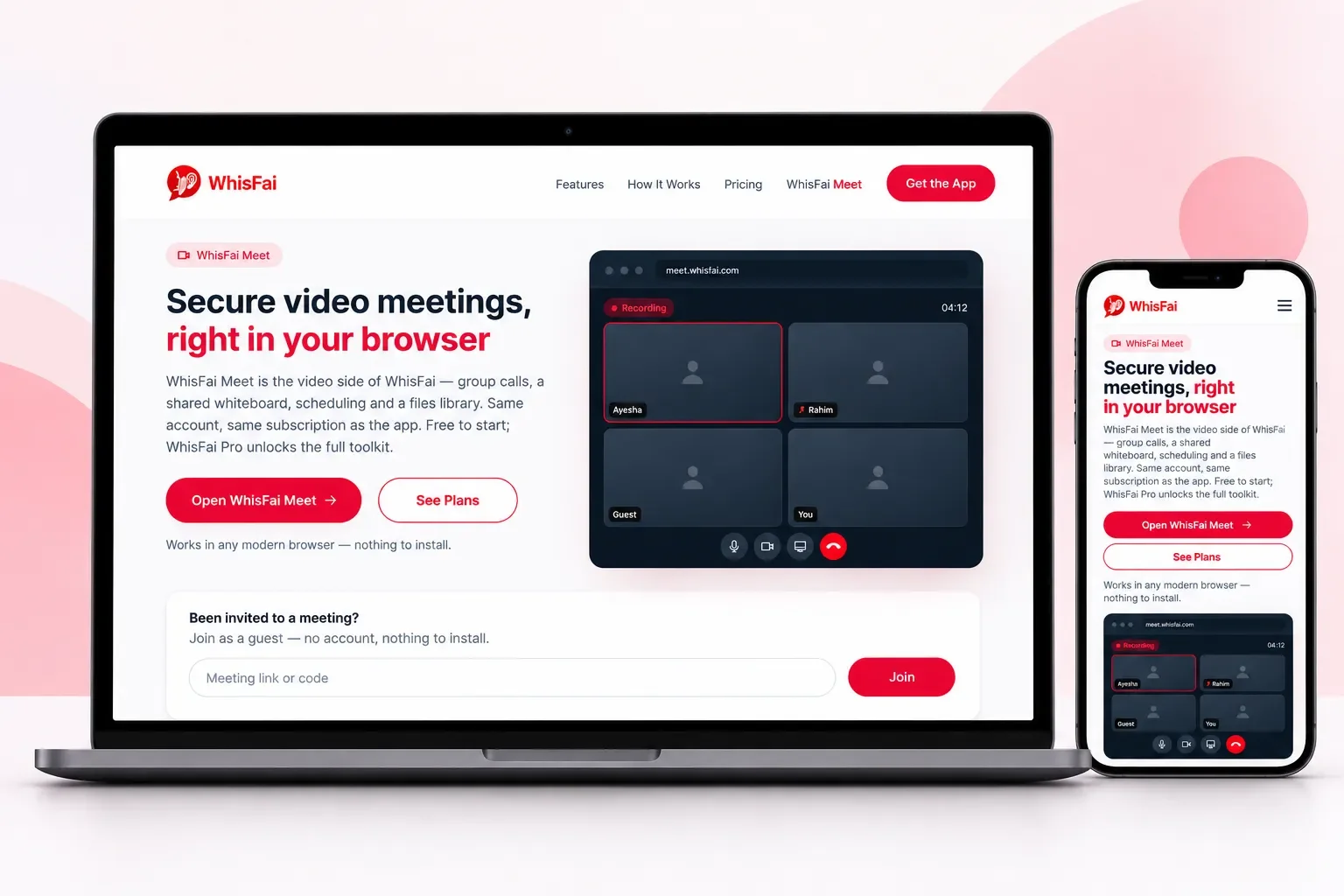
WhisFai Meet is the video side of WhisFai: secure video meetings in the browser. It brings group calls, screen sharing, a shared whiteboard, scheduling and a files library. Guests join with a link, and the same account also works in the WhisFai app.
A meeting should not start with a download. Yet most tools ask every guest to install something first. Then the notes, files and recordings end up in three other apps, so the meeting itself was the easy part.
Every guest had to download a client first, so the first five minutes of each meeting went to setup.
Invites, reminders and the meeting link lived in a separate calendar tool that not everyone used.
Explaining a design or a document by voice alone is slow. The team needed a screen and a whiteboard in the call.
Documents shared during a meeting disappeared when it ended, so people sent them again by email.
We built secure video meetings in the browser, at meet.whisfai.com. A host opens a room, and guests join from a link without an account. Screen sharing, the whiteboard, scheduling with reminders and the files library all sit in the same window.
Group video calls at meet.whisfai.com in any modern browser. Guests join from a link, with no account and nothing to install.
Share your screen or draw on a shared whiteboard while everyone watches, inside the same call.
Plan a meeting, send the link, and let the reminders go out on their own.
Files you share in a meeting stay in the library afterwards, so nothing has to go out twice.
We defined the meeting flow first and then designed the room. After that, we built calls and sharing on WhisFai's accounts and tested until guests could join with one click.
First, what a host needs, what a guest needs, and how a room opens, fills and closes.
The meeting view, the controls and the guest join page, simple enough for a first-time guest.
Next came group calls over encrypted connections, screen sharing, the whiteboard, scheduling and the files library.
Finally, we tested in the major browsers and released within one month, on the same account as the WhisFai app.
WhisFai Meet is live at meet.whisfai.com after a one-month build. It works in any modern browser with nothing to install, and it is free to start. It also shares one account and one subscription with the WhisFai messaging app.
Clear scope and requirements before development begins.
A practical approach built around your business needs.
Websites, web applications, and mobile apps under one team.
Clear communication throughout the project.
Practical insights on websites, web applications, mobile apps, and the technology behind better businesses. No noise, no daily emails—just useful things worth reading.